


Template Expressions
This is a collection of a few expressions that I found useful over the years when making dynamic templates. Obviously, different studios and projects can have different levels of automation, therefore using certain expressions can be useful only under certain circumstances.
The following expressions merely intended to be an inspiration if someone is looking for ways to speed up getting out the first bash comps.

Checking if certain channel exists
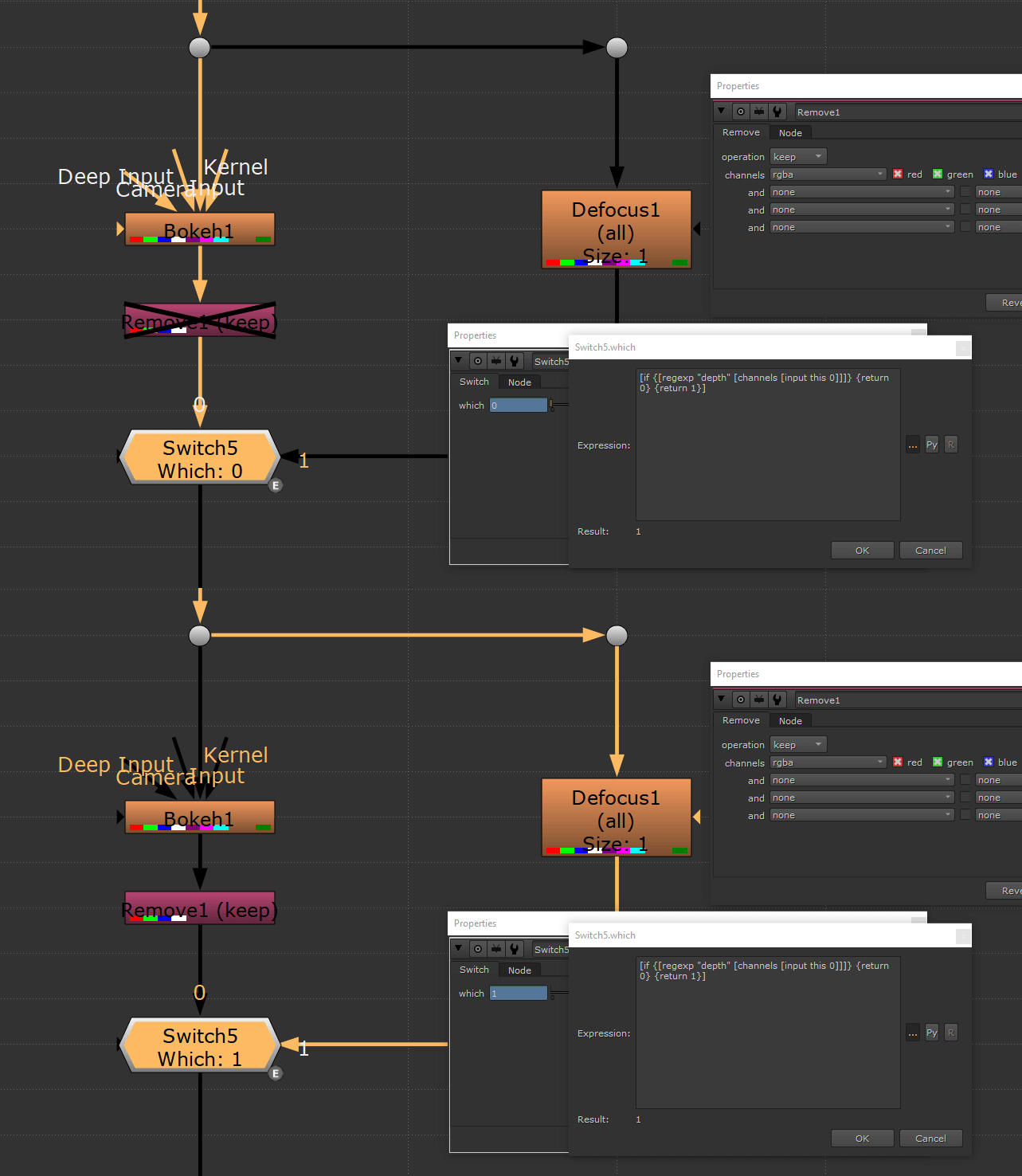
The idea here is to use regex to search the layers for a string match.
Here I added the string "depth" but you can replace it with any other layer's name!
You can also change on which input of the node you are looking for a certain layer - for this you can change the "input this 0" part where the "0" stands for the ID of the input.
[if {[regexp "depth" [layers [input this 0]]]} {return 0} {return 1}]
Checking if certain knob's value exists
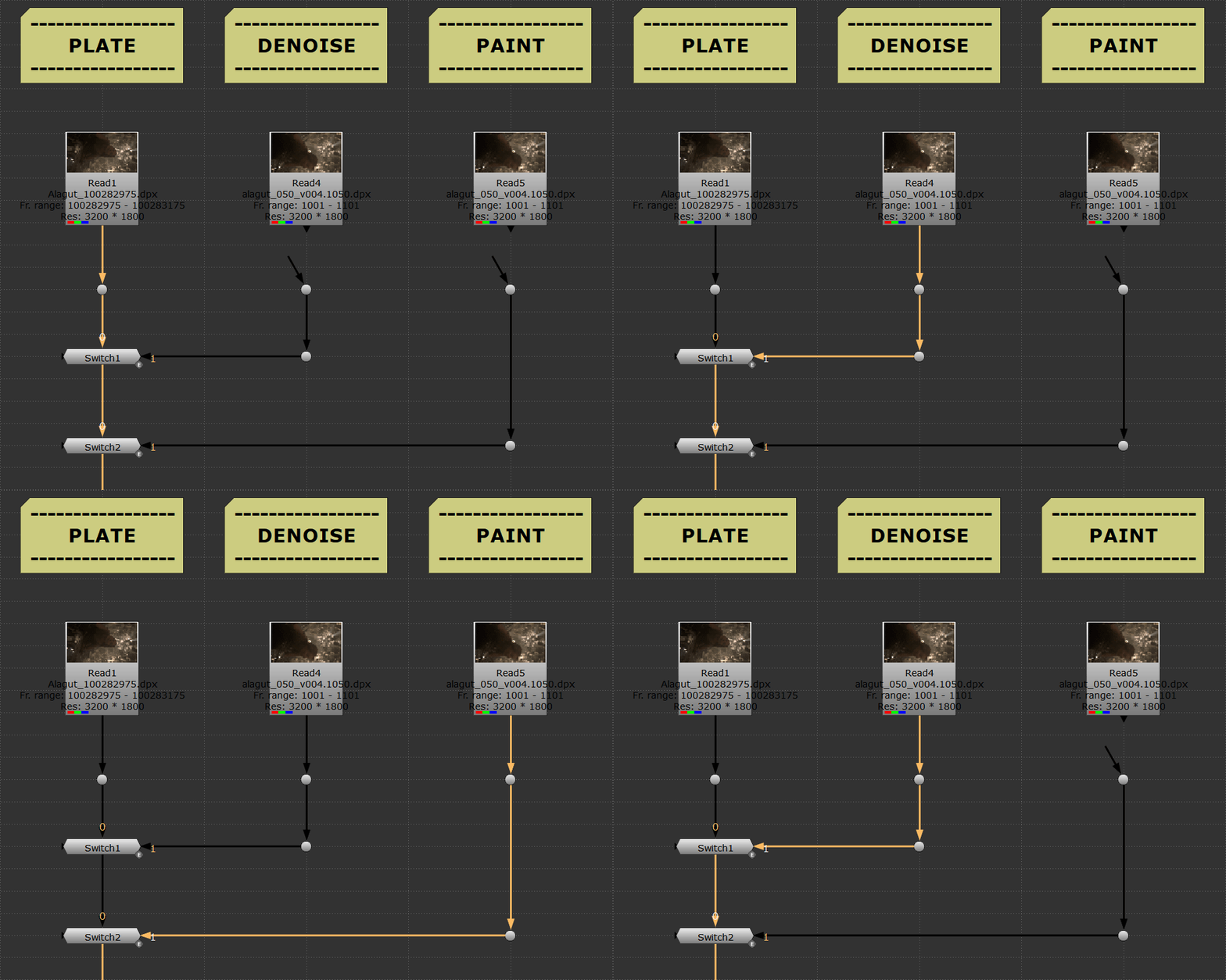
I found this one useful when organising assets in a template.
The expression on the Switch node is checking if the topnode on input 1 has a file knob value or not.
Simply, it's switching to 1 when a node in such value connected to input 1.
As most assets comes in nodes that has file knobs I usually use it but if you want to be more specific you can use any other values like colorspace or display ( for 3D nodes ).
Also you can use it on any other type of nodes that has a specific knob's value.
![exists [value [topnode input1].file]]
Checking if frame range is matching
When dealing with many assets from different sources it could be useful to have a visual confirmation if such important values are matching as the frame range.
For this there is a TCL approach that can be useful for a certain extent but the limitation here is that the change is not instant which can be a problem. Still can be useful in some scenarios so here it is:

[if {[value input.first]==[value root.first_frame] && [value input.last]==[value root.last_frame]} {return [knob this.tile_color 16711935]} {return [knob this.tile_color 4281270527]}]
For a more instant validation we need to use a python callback, knobChanged.
Here it is added to a NoOp that has also an autolabel so the name appears to be empty.
You can copy this tool from here.
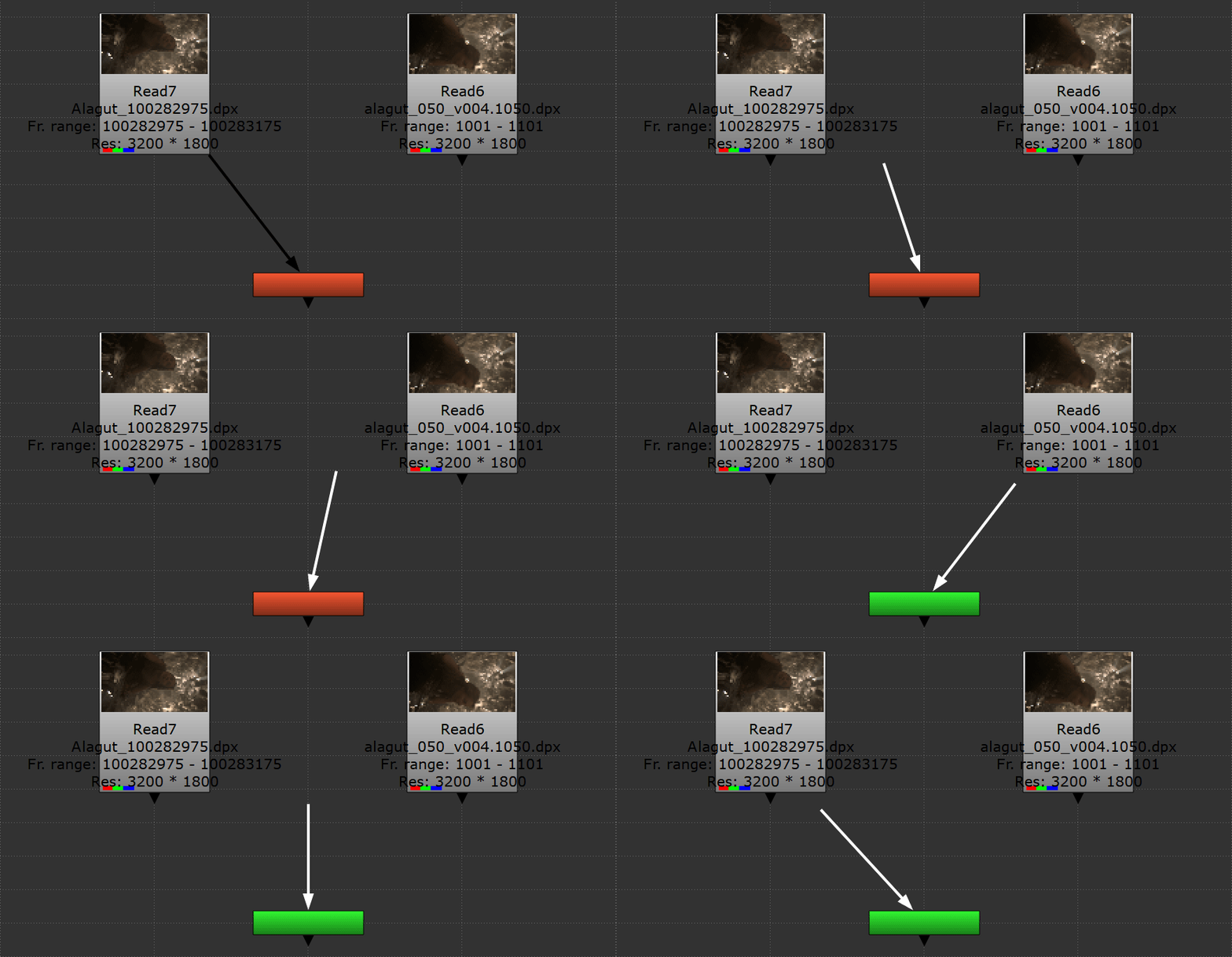
If anyone is interested here's the code on knobChanged:
Hope you will find it useful!